Dell Peripheral Manager
Designed a unified experience for Dell's ecosystem of 10+ peripherals, simplifying device pairing, customization, intelligent controls, and device management.
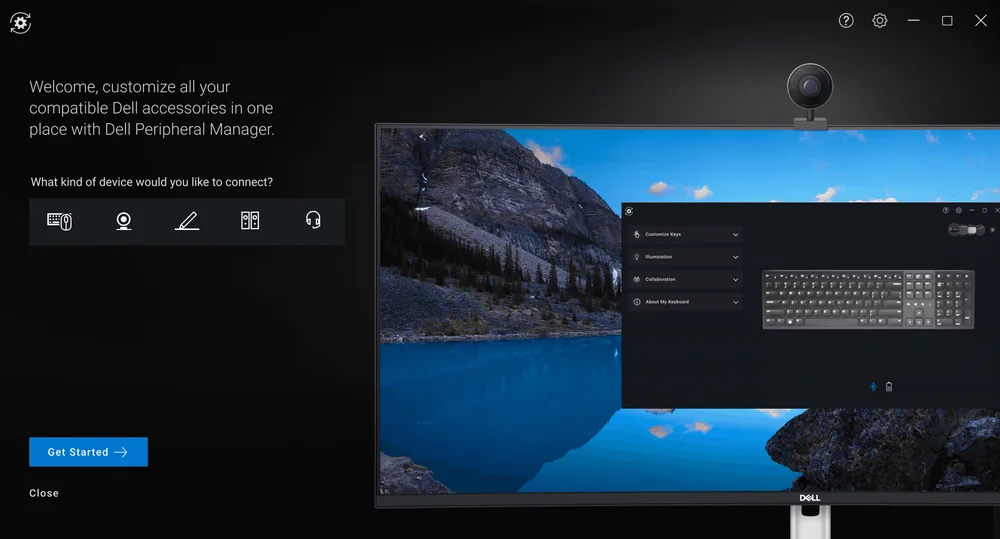
Dell's growing ecosystem of peripherals required a consistent experience across keyboards, mice, webcams, speakerphones, and styluses while still accommodating each product's unique capabilities.
One app, every peripheral
Dell Peripheral Manager already existed and people already used it. The work was designing the features they wanted, so every new device worked the same way inside the same app: learn it once, use it for all of them.
My Role
Collaborated with a design manager and another product designer to define interaction patterns across Dell's peripheral ecosystem. I prototyped new features and refined experiences through usability testing.
Outcome
Contributed to one of Dell's highest-rated peripheral experiences by introducing dark mode, intelligent personalization, and seamless device pairing. The result was a single interaction model across every Dell peripheral, reducing the need for users to learn different interactions for each device.
Watching people use it decided what goes up front
I sat in on UX research studies where we watched people navigate the software. That's how we sorted features into what shows up front and what can sit a click deeper as advanced settings.
- Device toolbar: every device, one click to switch
- Battery level on wireless devices
- Quick audio presets
- Granular audio controls
- Device-specific advanced settings
Every wireless device shows its battery
DPM supported wired and wireless devices, but wireless devices didn't show a battery level. By 2022 most devices were going wireless, so we added a battery indicator to every wireless device's screen.
- 01Battery levelAdded to every wireless device's screen.
- 02Device toolbarAll your devices at the top, so switching is one click.
- Before—Wireless devices showed no battery levelAfterBattery level on every wireless device
Designing for each device's unique capabilities
Intelligent Customization
Designed contextual controls that surfaced only the settings relevant to each peripheral, reducing visual complexity while making advanced functionality easier to discover without overwhelming users.
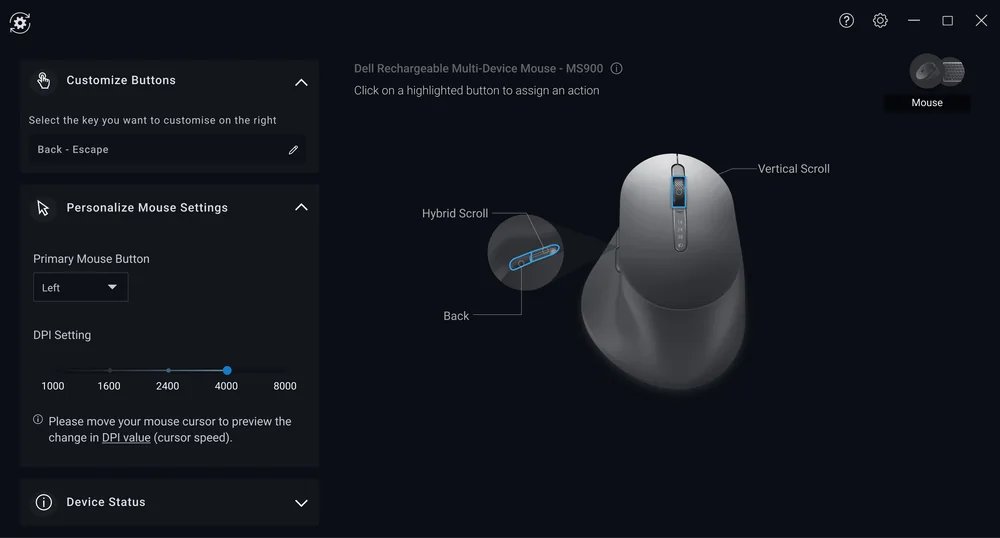
New devices brought new features, like customizable buttons on the mouse.
Ambient Sound Controls
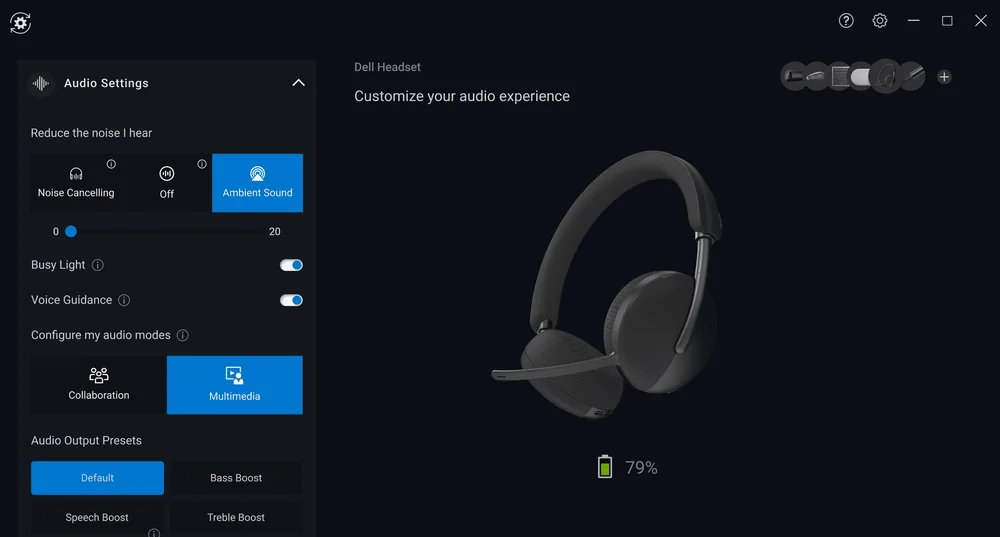
Balanced quick presets with granular audio controls, giving users the flexibility to fine-tune their listening environment or make adjustments in seconds.
The headset introduced ambient sound controls, which I designed for DPM.
Cross-device Pairing
Created a unified pairing flow that detected compatible peripherals and guided users through setup, regardless of device type.
Same structure, device-specific controls
The design system was already in place. For each device, the work was deciding which controls it needed and fitting them into the same structure.
- Changes per deviceDevice-specific controlsOnly what that device can do.
- Same everywhereShared app shellWhat you learn once works for every device.
- Already in placeDell's design systemExisting components and styles.
Dell Peripheral Manager taught me that consistency isn't about making every experience identical, it's about creating familiar interaction patterns while respecting what makes each product unique. That balance between scalability and flexibility has shaped how I approach complex systems today.